

Generative Media
image-edit
Smart router matching image edit intent to the right RunComfy model.
52 177.1K
View 
gpt-image-2
Generate images via your ChatGPT subscription using text-to-image, image editing, and style transfer.
Full skill instructions
Generate images with GPT Image 2 (ChatGPT Images 2.0) inside your agent, using your existing ChatGPT Plus or Pro subscription — no separate OpenAI access, no Fal or Replicate tokens, no per-image billing.
Text-to-image, image-to-image editing, style transfer, and multi-reference composition. Runs entirely through the local codex CLI you're already logged into.
Heads up — this skill requires a ChatGPT Plus or Pro subscription plus the Codex CLI installed locally. If you have neither, you can use GPT Image 2 in the browser via RunComfy instead — hosted, no ChatGPT subscription or local install needed (RunComfy account required):
- Text-to-image: runcomfy.com/models/openai/gpt-image-2/text-to-image
- Image edit (i2i): runcomfy.com/models/openai/gpt-image-2/edit
The rest of this document covers the local Codex CLI flow for agents whose user has a ChatGPT subscription.
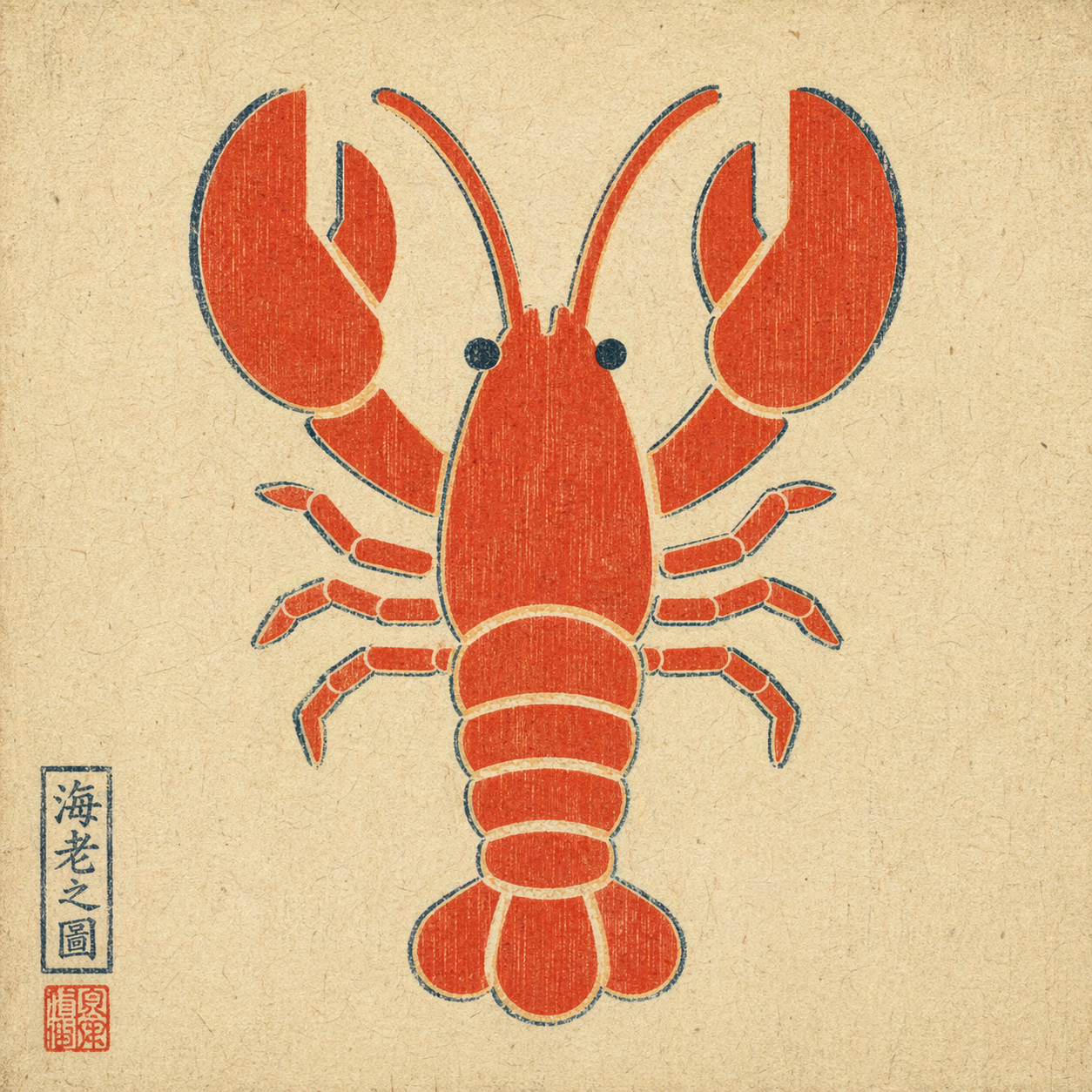
Example output: a plain flat-color icon repainted via --ref in ukiyo-e style — composition preserved, rendering swapped, period-appropriate red seal added by the model unprompted.
Trigger when the user explicitly asks for GPT Image 2 via their ChatGPT subscription, for example:
Do not auto-trigger for a plain "generate an image" request if the user didn't specify this route. If they did specify it, do not silently fall back to HTML mockups, screenshots, or a different image model.
A single bash script handles everything: runs codex exec with the right flags, then decodes the generated image from the persisted session rollout.
Text-to-image:
bash scripts/gen.sh \
--prompt "<user's raw prompt>" \
--out <absolute/path/to/output.png>
Image-to-image (reference flag is repeatable for multi-reference composition):
bash scripts/gen.sh \
--prompt "<user's raw prompt, e.g. 'repaint in watercolor'>" \
--ref /absolute/path/to/reference.png \
--out <absolute/path/to/output.png>
Optional: --timeout-sec 300 (default 300).
./image-<YYYYMMDD-HHMMSS>.png in the current working directory if the user didn't specify.codex login and a valid ChatGPT subscription with image-generation entitlement.codex CLI installed — brew install codex or see openai/codex.codex login.python3 on PATH (ships with macOS; apt install python3 on Linux).This skill does not grant image-generation capability on its own. It exposes the capability the user already has through their ChatGPT subscription.
| code | meaning |
|---|---|
| 0 | success — output path printed on stdout |
| 2 | bad args |
| 3 | codex or python3 CLI missing |
| 4 | --ref file does not exist |
| 5 | codex exec failed (auth? network? model?) |
| 6 | no new session file detected |
| 7 | imagegen did not produce an image payload (feature not enabled, quota, or capability refused) |
On failure, name the layer in one sentence instead of dumping the full stderr at the user.
The codex CLI reuses the logged-in ChatGPT session and exposes an imagegen tool (gated behind the image_generation feature flag). The script:
~/.codex/sessions/ before the runcodex exec --enable image_generation --sandbox read-only ... (with -i <file> for each reference image)scripts/extract_image.py to scan every new rollout JSONL for a base64 image payload (PNG / JPEG / WebP magic-header match)--outTwo non-obvious flags other wrappers get wrong on codex-cli 0.111.0+:
--enable image_generation is required; the feature is still under-development and off by default.--ephemeral must not be used — ephemeral sessions aren't persisted, so the image payload has nowhere to live.The script is narrowly scoped on purpose:
codex exec invocation. The sessions directory is snapshotted before the call and diffed after, so any prior ~/.codex/sessions/* files (which may contain unrelated Codex conversations) are never touched, read, or transmitted.--out path, and short-lived mktemp logs that are auto-deleted on exit via a trap.~/.codex/ are accessed.codex CLI itself (to OpenAI, using the user's existing ChatGPT login) — this skill does not add endpoints, telemetry, or callbacks.Not a direct OpenAI API client. Not a capability grant — it depends on the user's working Codex CLI login. Not a multi-tenant service (one call per invocation; concurrent calls are serialized by the filesystem-snapshot diff).
Smart router matching image edit intent to the right RunComfy model.
Smart router matching user intent to the right image-to-video model on RunComfy.
Precise single-image editing with Flux 1 Kontext Pro on RunComfy, optimized for high-fidelity local edits.
Text-to-video generation with native 1080p, synchronized audio, and multi-shot character consistency.
Flash-tier text-to-image model optimized for rapid iteration, social thumbnails, and predictable in-image typography.
Cinematic short-form video generation with multi-modal references and native lip-sync.
Image editing with OpenAI GPT Image 2, optimized for text rewriting, identity preservation, and multi-reference composition.
Text-to-video generation with audio-driven lip-sync and multi-reference motion control.
Fast image generation with Flux 2 Klein, optimized for sub-second iteration and multi-reference brand styling.
Smart router across 11+ image models for text-to-image and image-to-image generation via RunComfy CLI.
Route across 10+ video models (HappyHorse, Kling, Seedance, Veo, Wan, Hailuo, Dreamina) for text-to-video, image-to-video, and video extension.
Swap faces into videos or stills by routing to the right model for your intent.
Transform Your Design with AI Designer by ImgCreator.ai
Extend an image past the frame and let AI fill the new aspect ratio.

Chat-to-edit AI studio for product photos, portraits, branding, and video.
Compare specialist background removers and keep the best transparent cutout.
Create mind-bending AI images with ease.

AI-powered image editing and creation
Evolve your image creation.
Magnific AI: Pricing, Features, FAQs, and Alternatives