
Downloads · 30 days
94
6% of all-time downloads
sam749/The-Truality-Engine-TRUALITY-ENGINE-PRO
The-Truality-Engine-TRUALITY-ENGINE-PRO is a text-to-image model from sam749. Use it when you need an image from a text prompt. It is set up for diffusers. The card lists the license as creativeml-openrail-m.
Downloads · 30 days
94
6% of all-time downloads
All-time downloads
1.7K
Public
Parameters
860M
7.8 GB on disk
Likes
1
Public
Click a slice to open those files.
.safetensors13.3 GB · 100%
From the Hugging Face model README
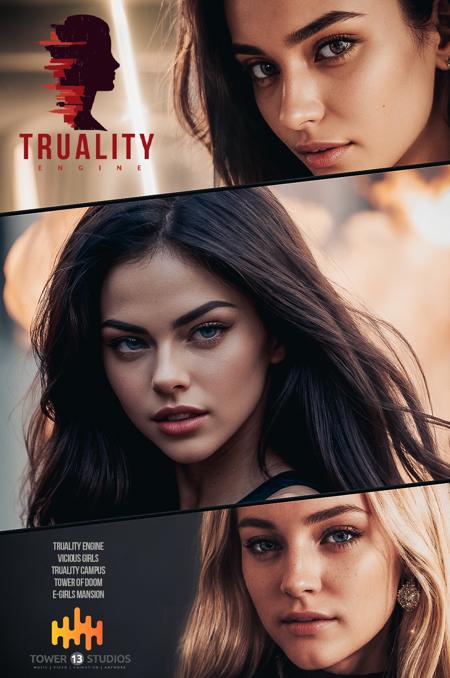
<p><strong>DON'T USE VAE</strong></p><p><strong>SETTINGS</strong></p><p><strong>Steps: 35</strong><br />with this model, too high means it takes longer to load, test it for each scene individually, keep it at 35 if you don't mind waiting a few seconds longer.</p><p><strong>CFG: 3.5 to 11.5</strong><br />The higher the value the higher the contrast and the amount of colors. The engine will listen more subtly to your prompt up till CFG 7. Everything above could be described as over-exaggerating your prompt to adding new features. A Lens Flare can become something entirely else. Definitely interesting if you feel like experimenting.<br /><strong>When using TI's and Lora's you should not go higher as 4.5</strong></p><p><strong>Best Size 512 x 768</strong></p><p><strong>Best Samplers: DPM++ 2M SDE KARRAS</strong></p><p><strong>HIRES FIX</strong></p><p><strong>Upscale a 512x 768 by 2x</strong><br />UPSCALER for V3 <a target="_blank" rel="ugc" href="https://mega.nz/folder/qZRBmaIY#nIG8KyWFcGNTuMX_XNbJ_g">4x UltraSharp</a><br />Clean and less grainy results, yet very detailed<br />(Resize Steps 15 to 25, Denoise 0.23-0.33)</p><p><strong>UPSCALER</strong> for V1 & V2 & Pro: <a target="_blank" rel="ugc" href="https://nmkd.de/shared/ESRGAN/Models/Realistic%2C%20Multipurpose/4x_NMKD-Superscale-SP_178000_G.pth">4x_NMKD-Superscale-SP178000_G.pth</a></p><p>(Resize Steps 10 to 15, Denoise 0.17-0.33)</p><p>This upscaler provides a special layer of depth for photo realistic images, slightly grainy.</p>
You can use this with the 🧨Diffusers library
from diffusers import StableDiffusionPipeline
import torch

model_id = "sam749/The-Truality-Engine-TRUALITY-ENGINE-PRO"
pipe = StableDiffusionPipeline.from_pretrained(model_id, torch_dtype=torch.float16)
pipe = pipe.to("cuda")

prompt = "masterpiece, best quality, 1girl, (colorful),(delicate eyes and face), volumatic light, ray tracing, bust shot ,extremely detailed CG unity 8k wallpaper,solo,smile"
image = pipe(prompt).images[0]

image.save("result.png")