
Downloads · 30 days
0
owaiskha9654/Yolov7_Custom_Object_Detection
Yolov7_Custom_Object_Detection is a machine learning model from owaiskha9654. Use it for the machine learning task on the model card, and read the license before you ship it in a product.
- Model Inference🤖 - 🚀Training Yolov7 on Kaggle - Weight and Biases 🐝 - HuggingFace 🤗 Model Repo
Downloads · 30 days
0
Access
Public
Updated Jan 29, 2023
Repo size
150 MB
Likes
3
Trending 1
Click a slice to open those files.
.pt150 MB · 100%
From the Hugging Face model README
The goal of this task is to train a model that can localize and classify each instance of Person and Car as accurately as possible.
from IPython.display import Markdown, display

display(Markdown("../input/Car-Person-v2-Roboflow/README.roboflow.txt"))
In this Notebook, I have processed the images with RoboFlow because in COCO formatted dataset was having different dimensions of image and Also data set was not splitted into different Format. To train a custom YOLOv7 model we need to recognize the objects in the dataset. To do so I have taken the following steps:
Image Credit - WongKinYiu
</div> # Step 1: Install Requirements!git clone https://github.com/WongKinYiu/yolov7 # Downloading YOLOv7 repository and installing requirements
%cd yolov7
!pip install -qr requirements.txt
!pip install -q roboflow
!wget "https://github.com/WongKinYiu/yolov7/releases/download/v0.1/yolov7.pt"
import os
import glob
import wandb
import torch
from roboflow import Roboflow
from kaggle_secrets import UserSecretsClient
from IPython.display import Image, clear_output, display  # to display images


print(f"Setup complete. Using torch {torch.__version__} ({torch.cuda.get_device_properties(0).name if torch.cuda.is_available() else 'CPU'})")
I will be integrating W&B for visualizations and logging artifacts and comparisons of different models!
try:
    user_secrets = UserSecretsClient()
    wandb_api_key = user_secrets.get_secret("wandb_api")
    wandb.login(key=wandb_api_key)
    anonymous = None
except:
    wandb.login(anonymous='must')
    print('To use your W&B account,\nGo to Add-ons -> Secrets and provide your W&B access token. Use the Label name as WANDB. \nGet your W&B access token from here: https://wandb.ai/authorize')


wandb.init(project="YOLOv7",name=f"7. YOLOv7-Car-Person-Custom-Run-7")

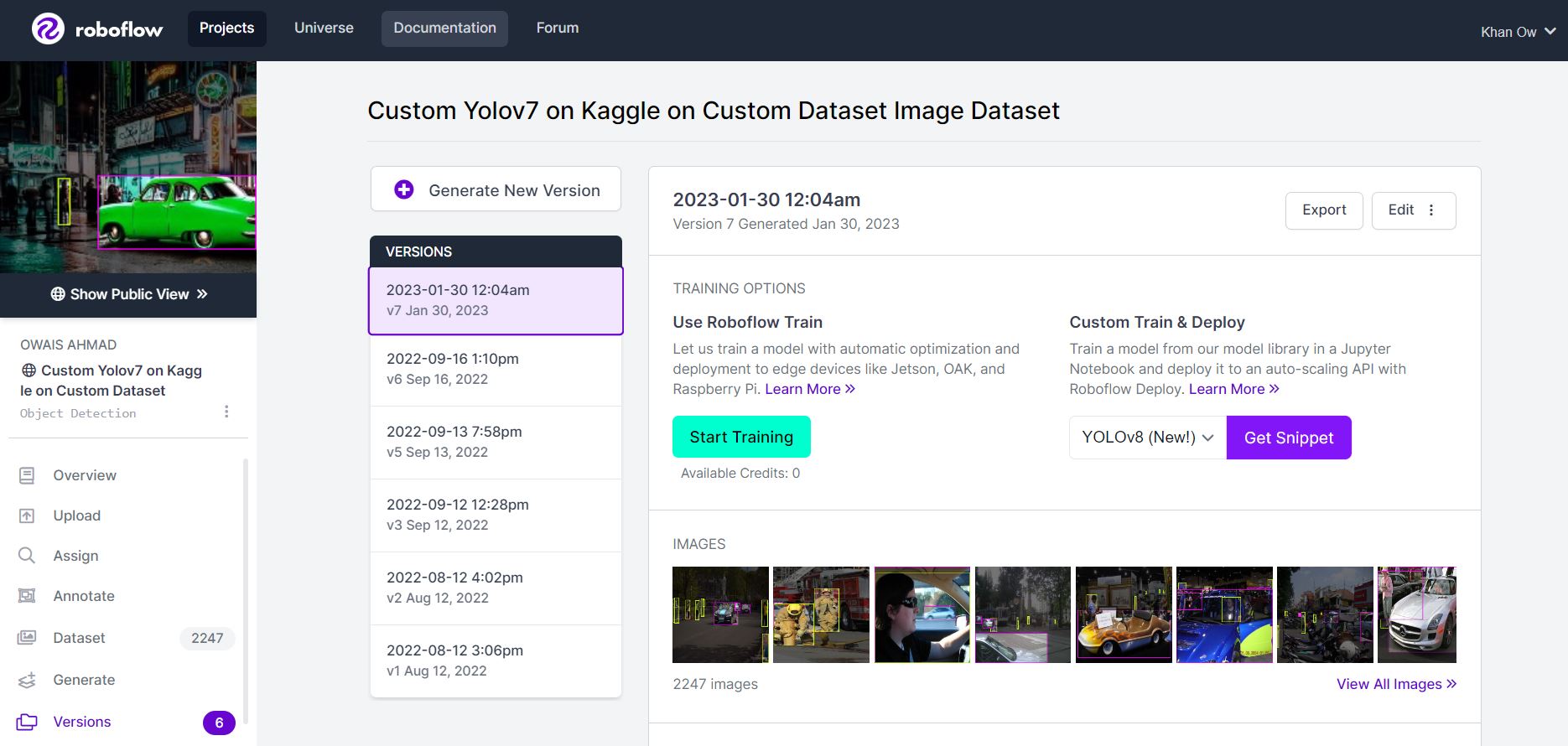
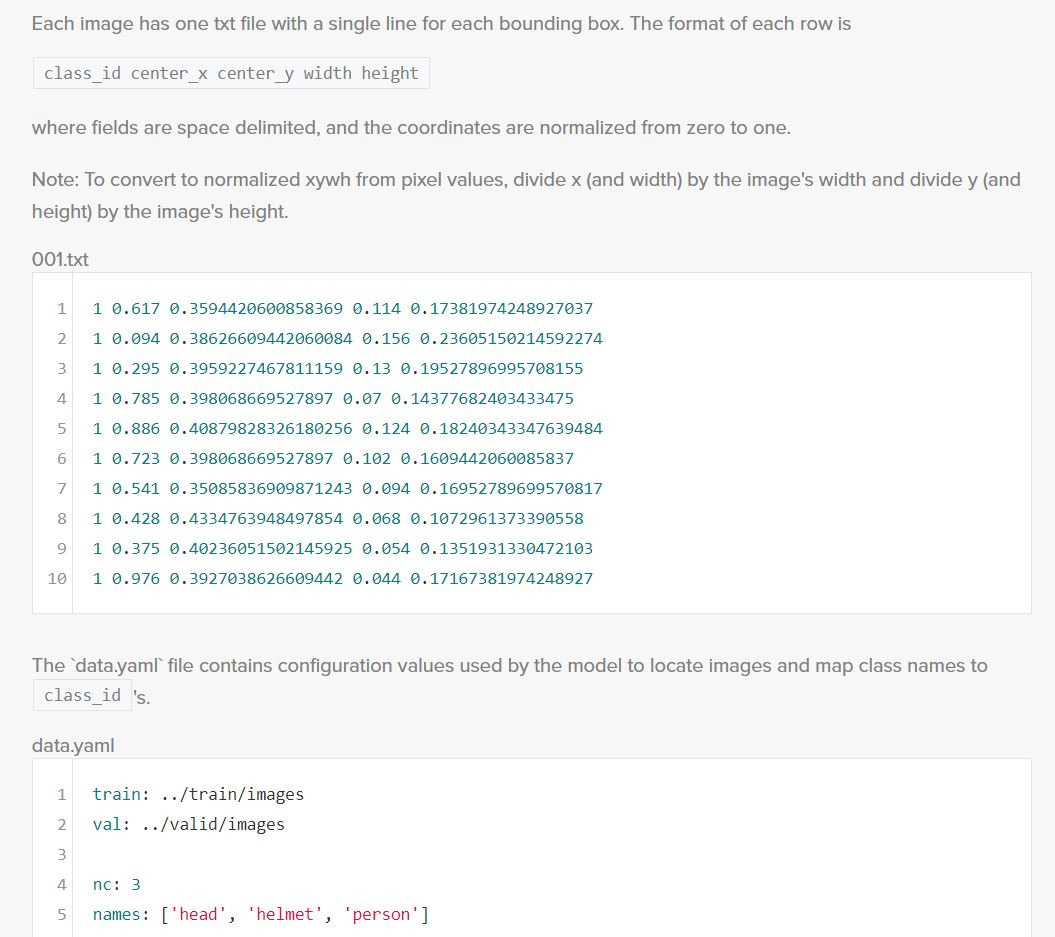
In order to train our custom model, we need to assemble a dataset of representative images with bounding box annotations around the objects that we want to detect. And we need our dataset to be in YOLOv7 format.
In Roboflow, We can choose between two paths:
user_secrets = UserSecretsClient()
roboflow_api_key = user_secrets.get_secret("roboflow_api")
rf = Roboflow(api_key=roboflow_api_key)
project = rf.workspace("owais-ahmad").project("custom-yolov7-on-kaggle-on-custom-dataset-rakiq")
dataset = project.version(2).download("yolov7")
Here, I am able to pass a number of arguments:
./yolov7/Custom-Yolov7-on-Kaggle-on-Custom-Dataset-2 folder.!python train.py --batch 16 --cfg cfg/training/yolov7.yaml --epochs 30 --data {dataset.location}/data.yaml --weights 'yolov7.pt' --device 0
Testing inference with a pretrained checkpoint on contents of ./Custom-Yolov7-on-Kaggle-on-Custom-Dataset-2/test/images folder downloaded from Roboflow.
!python detect.py --weights runs/train/exp/weights/best.pt --img 416 --conf 0.75 --source ./Custom-Yolov7-on-Kaggle-on-Custom-Dataset-2/test/images
for images in glob.glob('runs/detect/exp/*.jpg')[0:10]:
    display(Image(filename=images))
model = torch.load('runs/train/exp/weights/best.pt')
Now this trained custom YOLOv7 model can be used to recognize Person and Cars form any given Images.
To improve the model's performance, I might perform more interating on the datasets coverage,propper annotations and and Image quality. From orignal authors of Yolov7 this guide has been given for model performance improvement.
To deploy our model to an application by exporting your model to deployment destinations.
Once our model is in production, I will be willing to continually iterate and improve on your dataset and model via active learning.