
Downloads · 30 days
100
2% of all-time downloads
aipicasso/manga-diffusion-poc
manga-diffusion-poc is a text-to-image model from aipicasso. Use it when you need an image from a text prompt. It is set up for diffusers. The card lists the license as other.
Downloads · 30 days
100
2% of all-time downloads
All-time downloads
5.4K
Public
Parameters
866M
6.9 GB on disk
Likes
7
Public
Click a slice to open those files.
.safetensors6.9 GB · 100%
From the Hugging Face model README
English: Click Here
Manga Diffusion PoC (Proof-of-Concept) はAI Picasso社が作った漫画に特化した画像生成AIです。 Manga Diffusion PoC は 著作権者から許可された画像やパブリックドメインの画像、CC-0の画像だけで学習されています。
このモデルのライセンスは Mitsua Open RAIL-M License (More restrictive variant of CreativeML Open RAIL-M) です。 このモデルは商用利用可能ですが、"生成された画像をAIが生成したものではないと誤魔化すことはできません"。
ここからモデルをダウンロードできます。 Diffusersを使ってモデルをダウンロードすることもできます。
以下、一般的なモデルカードの日本語訳です。
モデルタイプ: 拡散モデルベースの text-to-image 生成モデル
言語: 日本語
ライセンス: Mitsua Open RAIL-M License
モデルの説明: このモデルはプロンプトに応じて適切な画像を生成することができます。アルゴリズムは Latent Diffusion Model と OpenCLIP-ViT/H です。
補足:
参考文献:
@InProceedings{Rombach_2022_CVPR,
    author    = {Rombach, Robin and Blattmann, Andreas and Lorenz, Dominik and Esser, Patrick and Ommer, Bj\"orn},
    title     = {High-Resolution Image Synthesis With Latent Diffusion Models},
    booktitle = {Proceedings of the IEEE/CVF Conference on Computer Vision and Pattern Recognition (CVPR)},
    month     = {June},
    year      = {2022},
    pages     = {10684-10695}
}
Stable Diffusion v2と同じ使い方です。 たくさんの方法がありますが、2つのパターンを提供します。
Stable Diffusion v2 の使い方と同じく、safetensor形式のモデルファイルをモデルフォルダに入れてください。 詳しいインストール方法は、こちらの記事を参照してください。
🤗's Diffusers library を使ってください。
まずは、以下のスクリプトを実行し、ライブラリをいれてください。
pip install --upgrade git+https://github.com/huggingface/diffusers.git transformers accelerate scipy
次のスクリプトを実行し、画像を生成してください。
from diffusers import StableDiffusionPipeline, EulerAncestralDiscreteScheduler
import torch

model_id = "aipicasso/manga-diffusion-poc"

scheduler = EulerAncestralDiscreteScheduler.from_pretrained(model_id, subfolder="scheduler")
pipe = StableDiffusionPipeline.from_pretrained(model_id, scheduler=scheduler, torch_dtype=torch.float16)
pipe = pipe.to("cuda")

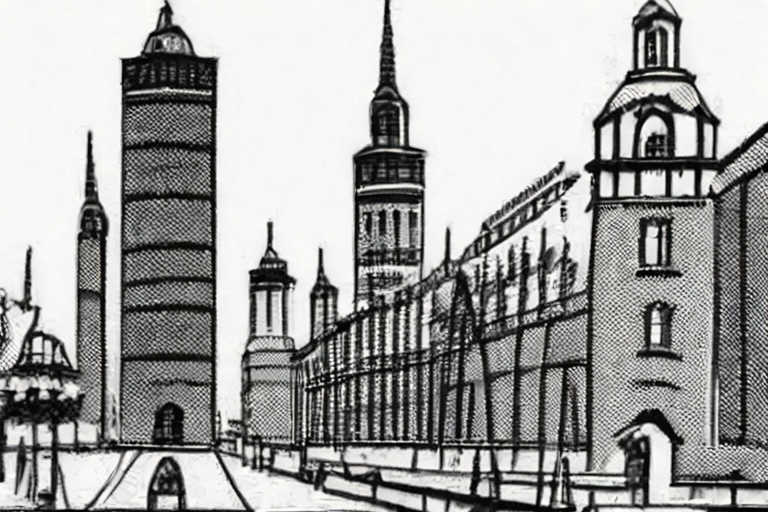
prompt = "monochrome, grayscale, tower"
images = pipe(prompt, num_inference_steps=30, height=512, width=768).images
images[0].save("tower.png")
注意:
pipe.enable_attention_slicing() を使ってください。学習データ
学習プロセス
第三者による評価を求めています。
@InProceedings{Rombach_2022_CVPR,
    author    = {Rombach, Robin and Blattmann, Andreas and Lorenz, Dominik and Esser, Patrick and Ommer, Bj\"orn},
    title     = {High-Resolution Image Synthesis With Latent Diffusion Models},
    booktitle = {Proceedings of the IEEE/CVF Conference on Computer Vision and Pattern Recognition (CVPR)},
    month     = {June},
    year      = {2022},
    pages     = {10684-10695}
}
*このモデルカードは Stable Diffusion v2 に基づいて書かれました。