
Downloads · 30 days
0
ai-forever/KandiSuperRes
KandiSuperRes is a machine learning model from ai-forever. Use it for the machine learning task on the model card, and read the license before you ship it in a product.
KandiSuperRes Flash Post | KandiSuperRes Post | Github | Telegram-bot | Our text-to-image model
Downloads · 30 days
0
Access
Public
Updated Aug 21, 2024
Repo size
4.1 GB
Likes
10
Public
Click a slice to open those files.
.ckpt2.5 GB · 60%
From the Hugging Face model README
KandiSuperRes Flash Post | KandiSuperRes Post | Github | Telegram-bot | Our text-to-image model

KandiSuperRes Flash is a new version of the diffusion model for super resolution. This model includes a distilled version of the KandiSuperRes model and a distilled model Kandinsky 3.0 Flash. KandiSuperRes Flash not only improves image clarity, but also corrects artifacts, draws details, improves image aesthetics. And one of the most important advantages is the ability to use the model in the "infinite super resolution" mode. For more information: details of architecture and training, example of generations check out our Habr post.
To install repo first one need to create conda environment:
git clone https://github.com/ai-forever/KandiSuperRes.git
cd KandiSuperRes
conda create -n kandisuperres -y python=3.12;
source activate kandisuperres;
pip install -r requirements.txt;
Check our jupyter notebook KandiSuperRes.ipynb with example.
from KandiSuperRes import get_SR_pipeline
from PIL import Image

sr_pipe = get_SR_pipeline(device='cuda', fp16=True, flash=True, scale=2)

lr_image = Image.open('')
sr_image = sr_pipe(lr_image)
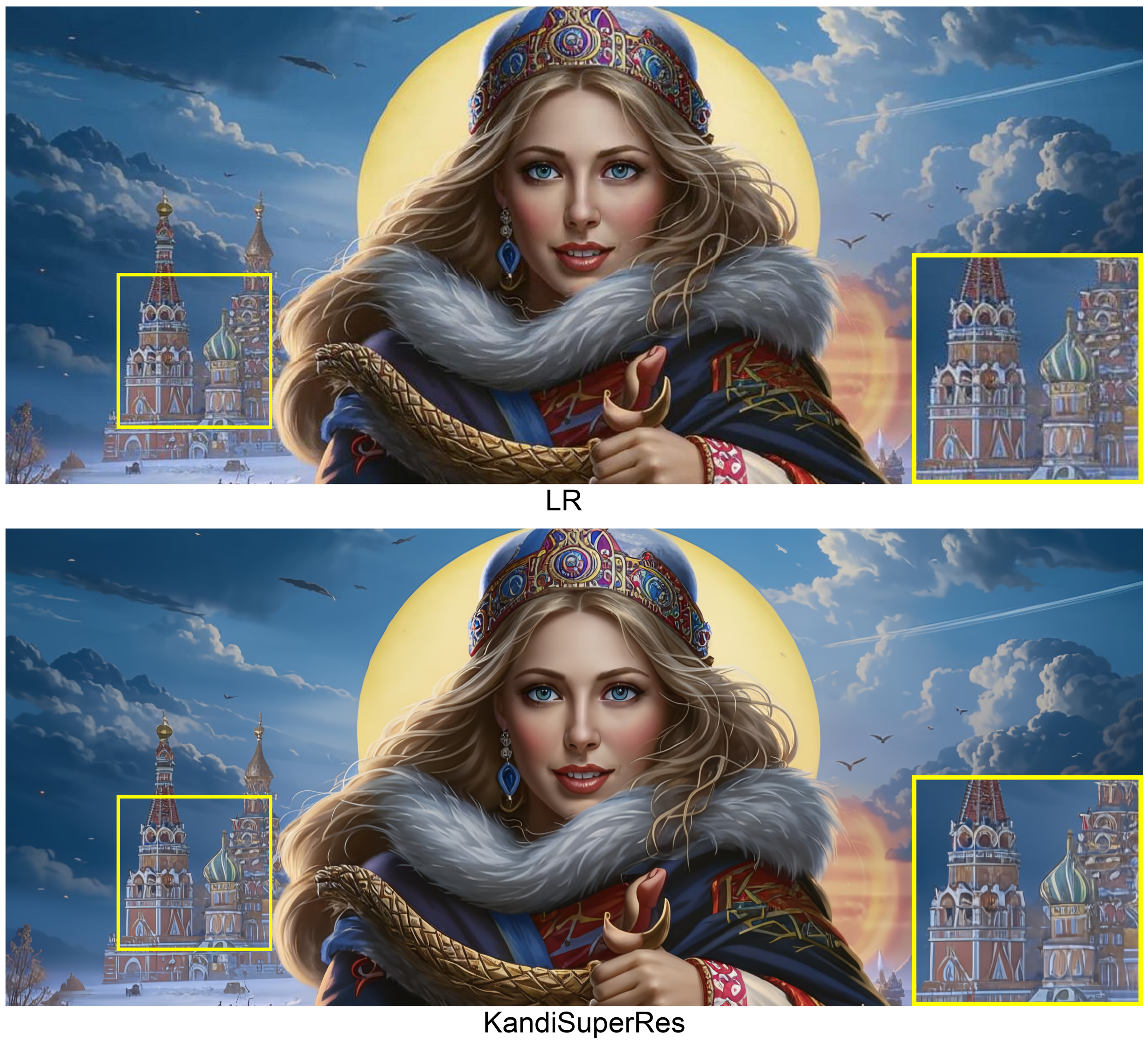
KandiSuperRes is an open-source diffusion model for x4 super resolution. This model is based on the Kandinsky 3.0 architecture with some modifications. For generation in 4K, the MultiDiffusion algorithm was used, which allows to generate panoramic images. For more information: details of architecture and training, example of generations check out our Habr post.
Check our jupyter notebook KandiSuperRes.ipynb with example.
from KandiSuperRes import get_SR_pipeline
from PIL import Image

sr_pipe = get_SR_pipeline(device='cuda', fp16=True, flash=False, scale=4)

lr_image = Image.open('')
sr_image = sr_pipe(lr_image)