
Downloads · 30 days
238
0% of all-time downloads
PrunaAI/Einstein-v6.1-Llama3-8B-bnb-4bit-smashed
Einstein-v6.1-Llama3-8B-bnb-4bit-smashed is a machine learning model from PrunaAI. Use it for the machine learning task on the model card, and read the license before you ship it in a product. It is set up for pruna-ai.
<div style="width: auto; margin-left: auto; margin-right: auto" <a href="https://www.pruna.ai/" target="blank" rel="noopener noreferrer" <img src="https://i.imgur.com/eDAlcgk.png" alt="PrunaAI" style="width: 100%; min…
Downloads · 30 days
238
0% of all-time downloads
All-time downloads
133K
Public
Parameters
8.1B
6 GB on disk
Likes
1
Public
Click a slice to open those files.
.safetensors6 GB · 100%
How the weights are stored.
U87B · 86%
From the Hugging Face model README




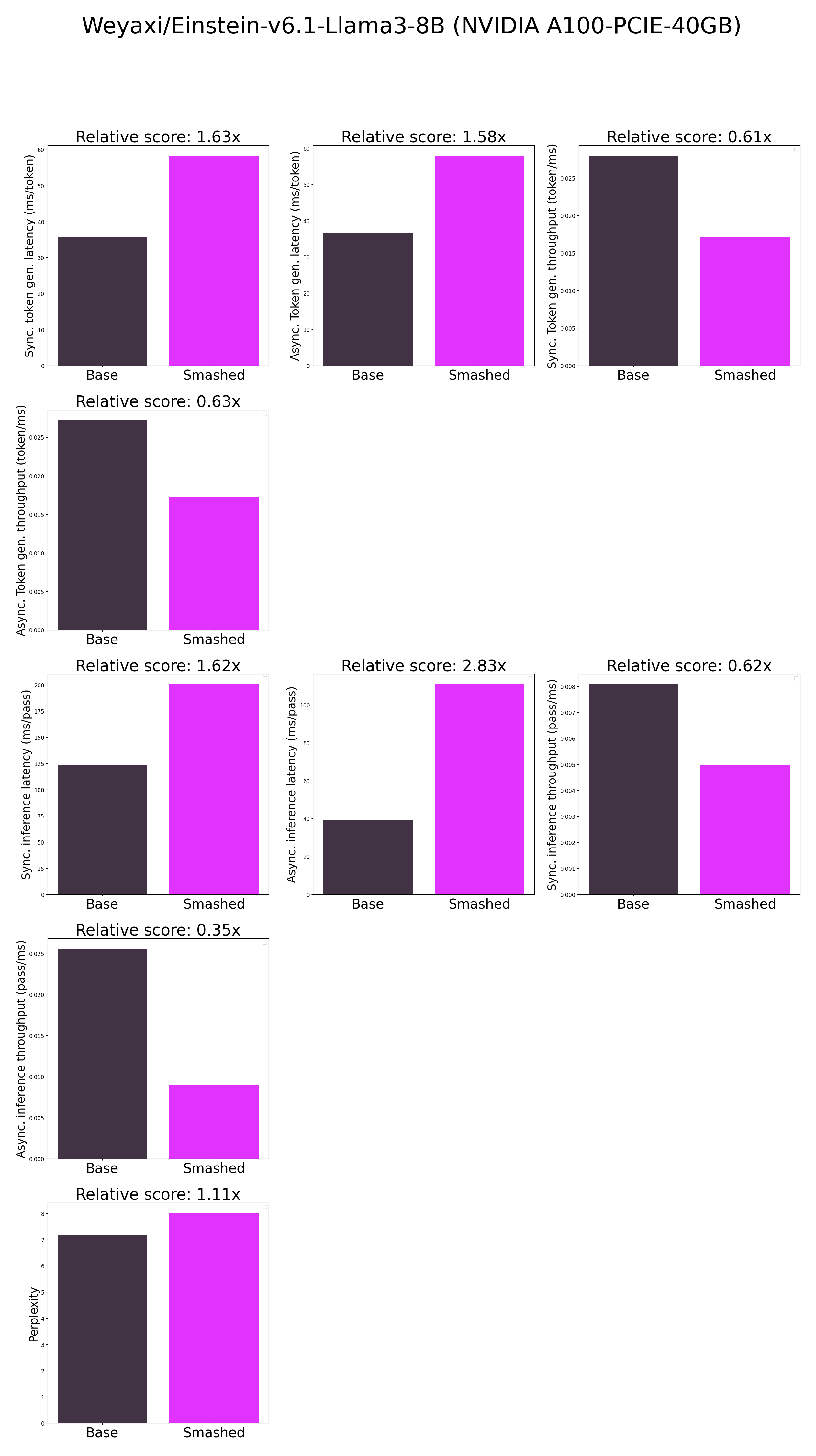
Frequently Asked Questions
model/smash_config.json and are obtained after a hardware warmup. The smashed model is directly compared to the original base model. Efficiency results may vary in other settings (e.g. other hardware, image size, batch size, ...). We recommend to directly run them in the use-case conditions to know if the smashed model can benefit you.You can run the smashed model with these steps:
pip install transformers accelerate bitsandbytes>0.37.0
from transformers import AutoModelForCausalLM, AutoTokenizer


model = AutoModelForCausalLM.from_pretrained("PrunaAI/Einstein-v6.1-Llama3-8B-bnb-4bit-smashed", trust_remote_code=True, device_map='auto')
tokenizer = AutoTokenizer.from_pretrained("Weyaxi/Einstein-v6.1-Llama3-8B")

input_ids = tokenizer("What is the color of prunes?,", return_tensors='pt').to(model.device)["input_ids"]

outputs = model.generate(input_ids, max_new_tokens=216)
tokenizer.decode(outputs[0])
The configuration info are in smash_config.json.
The license of the smashed model follows the license of the original model. Please check the license of the original model Weyaxi/Einstein-v6.1-Llama3-8B before using this model which provided the base model. The license of the pruna-engine is here on Pypi.
Want to use our optimized models right away? Try them via our API for fast, easy access to Pruna-powered inference.
<style> .model-button { display: inline-flex; flex-direction: row; justify-content: center; align-items: center; gap: 8px; padding: 8px 20px; border: none; border-radius: 8px; background: #9334e9; color: #ffffff; font-size: 14px; font-weight: 400; line-height: 1; text-decoration: none; white-space: nowrap; cursor: pointer; box-sizing: border-box; overflow: visible; opacity: 1; } </style><a href="https://dashboard.pruna.ai/login?utm_source=huggingface&utm_medium=model_card&utm_campaign=hf_traffic" class="model-button">Try our models</a>
