
Downloads · 30 days
0
Paresh1879/stable-diffusion-xl-thumbsup-extend
stable-diffusion-xl-thumbsup-extend is a text-to-image model from Paresh1879. Use it when you need an image from a text prompt. It is set up for diffusers. The card lists the license as apache-2.0.
This repository contains instructions and code for training a DreamBooth LoRA model using Stable Diffusion XL on a dataset of images featuring Donald Trump giving a thumbs up gesture. The trained model can be used to…
Downloads · 30 days
0
Access
Public
Updated May 27, 2024
Repo size
402 MB
Likes
1
Public
Click a slice to open those files.
.safetensors281 MB · 60%
From the Hugging Face model README
This repository contains instructions and code for training a DreamBooth LoRA model using Stable Diffusion XL on a dataset of images featuring Donald Trump giving a thumbs up gesture. The trained model can be used to generate high-quality images of Trump showing thumbs up in various contexts.
Here are a few sample images generated by the trained model:



The script requires Python 3.9 and several Python packages including PyTorch, Hugging Face Transformers, Diffusers, and Accelerate. Additional dependencies are listed in the requirements_sdxl.txt file.
To get started, clone the repository and navigate to the project directory. Install the required packages using pip and the provided requirements_sdxl.txt file. Log in to the Hugging Face Hub using the huggingface-cli login command.
To train the model, prepare a dataset of images featuring Donald Trump giving a thumbs up gesture and place them in a directory. Run the training script train_dreambooth_lora_sdxl.py with the appropriate command-line arguments specifying the pretrained model, instance data directory, output directory, and various training hyperparameters.
After training, load the trained LoRA weights and use the DiffusionPipeline class from the Diffusers library to generate images. Provide a prompt describing the desired image, such as "A high quality picture of Trump showing the thumbs up in Paris detailed, sharp focus". The generated image will be saved to the specified output directory.
SDXL_API_Server contains the server side code containing the below information :
Image Generation Endpoint:
/generate_image: Accepts POST requests with prompts to generate Trump thumbs up images.API Key Authentication:
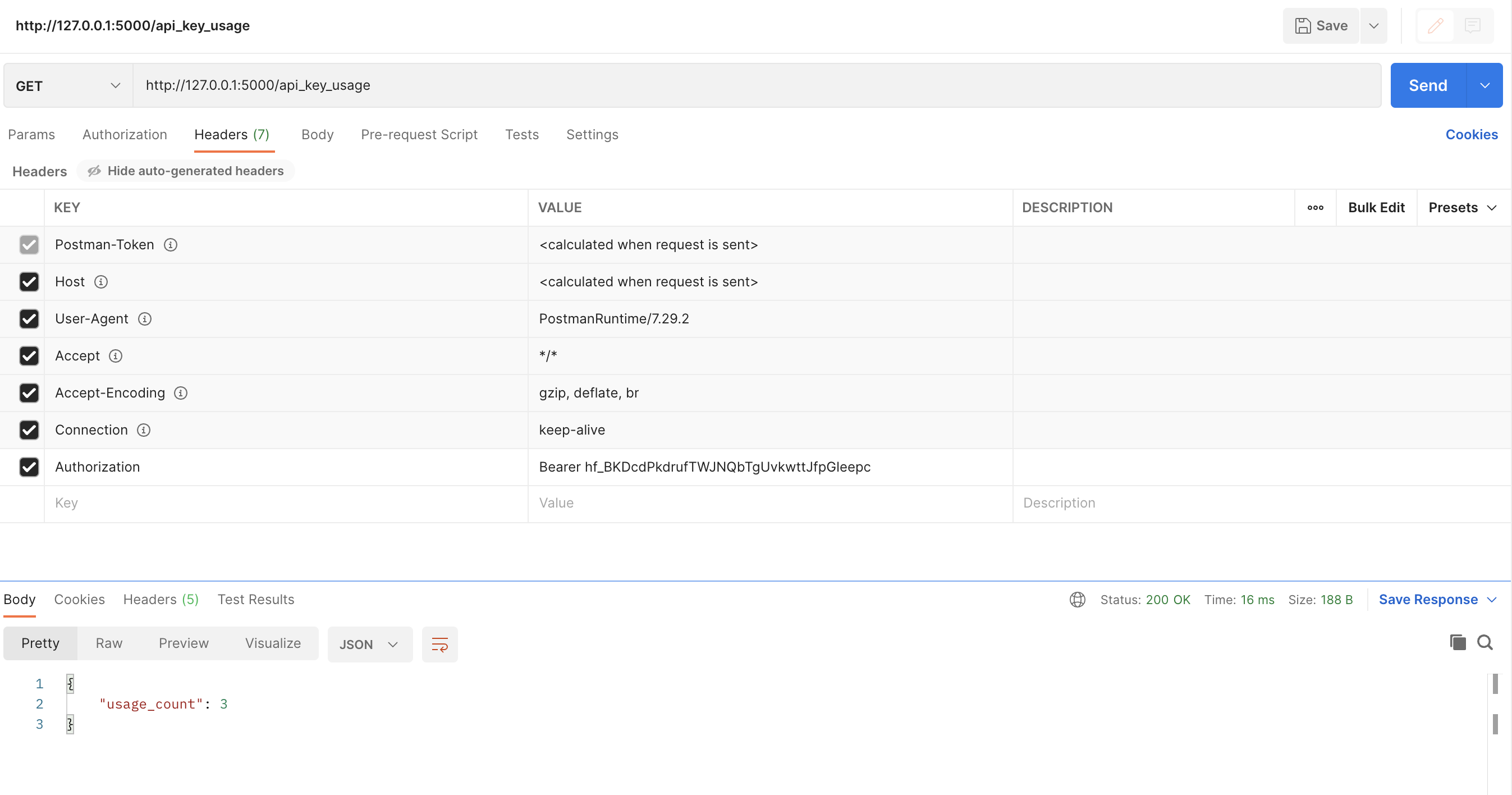
API Key Usage Tracking:
/api_key_usage endpoint retrieves usage count.The Generated Output in postman:

The generated images will be saved in the specified output directory, showcasing Trump giving a thumbs up gesture in different contexts based on the provided prompts.