Downloads · 30 days
56
5% of all-time downloads
HighCWu/sd-control-lora-face-landmarks
sd-control-lora-face-landmarks is a image-to-image model from HighCWu. Use it when you need one image transformed into another. It is set up for diffusers. The card lists the license as creativeml-openrail-m.
ControlLoRA is a neural network structure extended from Controlnet to control diffusion models by adding extra conditions. This checkpoint corresponds to the ControlLoRA conditioned on Face Landmarks.
Downloads · 30 days
56
5% of all-time downloads
All-time downloads
1K
Public
Parameters
26.3M
333 MB on disk
Likes
3
Public
Click a slice to open those files.
.safetensors105 MB · 94%
From the Hugging Face model README
ControlLoRA is a neural network structure extended from Controlnet to control diffusion models by adding extra conditions. This checkpoint corresponds to the ControlLoRA conditioned on Face Landmarks.
ControlLoRA uses the same structure as Controlnet. But its core weight comes from UNet, unmodified. Only hint image encoding layers, linear lora layers and conv2d lora layers used in weight offset are trained.
The main idea is from my ControlLoRA and sdxl control-lora.
$ git clone https://github.com/HighCWu/control-lora-v2
$ cd control-lora-v2
from PIL import Image
from diffusers import StableDiffusionControlNetPipeline, UNet2DConditionModel, UniPCMultistepScheduler
import torch
from PIL import Image
from models.control_lora import ControlLoRAModel

image = Image.open('<Your Conditioning Image Path>')

base_model = "runwayml/stable-diffusion-v1-5"

unet = UNet2DConditionModel.from_pretrained(
    base_model, subfolder="unet", torch_dtype=torch.float16
)
control_lora = ControlLoRAModel.from_pretrained(
    "HighCWu/sd-control-lora-face-landmarks", torch_dtype=torch.float16
)
control_lora.tie_weights(unet)

pipe = StableDiffusionControlNetPipeline.from_pretrained(
    base_model, unet=unet, controlnet=control_lora, safety_checker=None, torch_dtype=torch.float16
)

pipe.scheduler = UniPCMultistepScheduler.from_config(pipe.scheduler.config)

# Remove if you do not have xformers installed
# see https://huggingface.co/docs/diffusers/v0.13.0/en/optimization/xformers#installing-xformers
# for installation instructions
pipe.enable_xformers_memory_efficient_attention()

pipe.enable_model_cpu_offload()

image = pipe("Girl smiling, professional dslr photograph, high quality", image, num_inference_steps=20).images[0]

image.show()
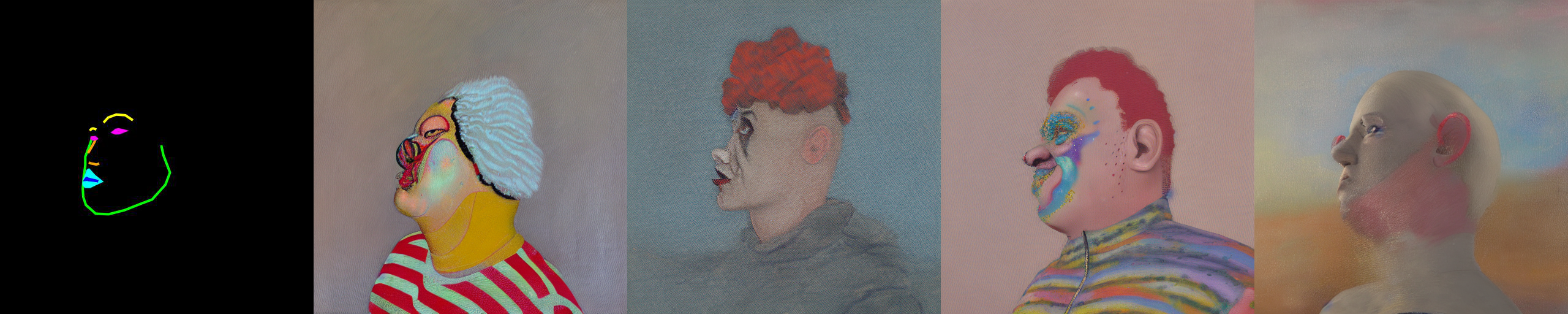
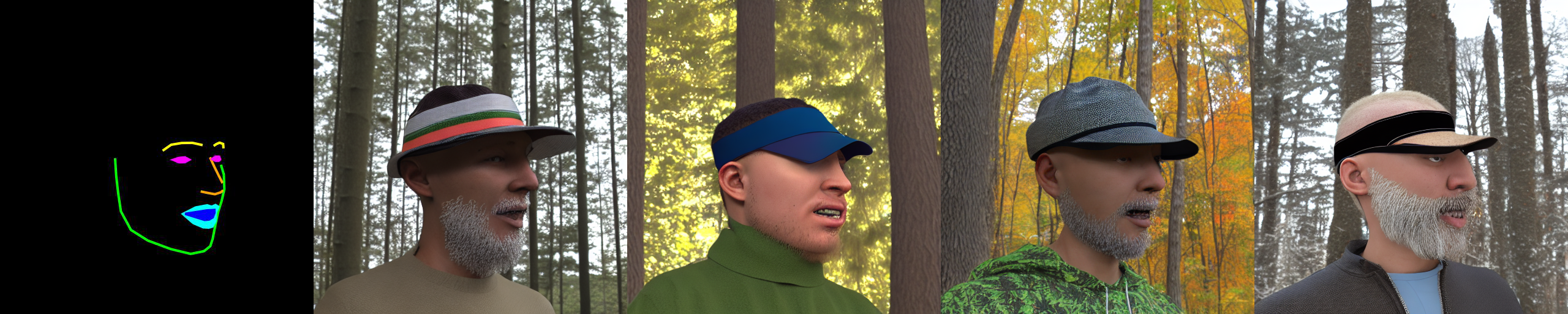
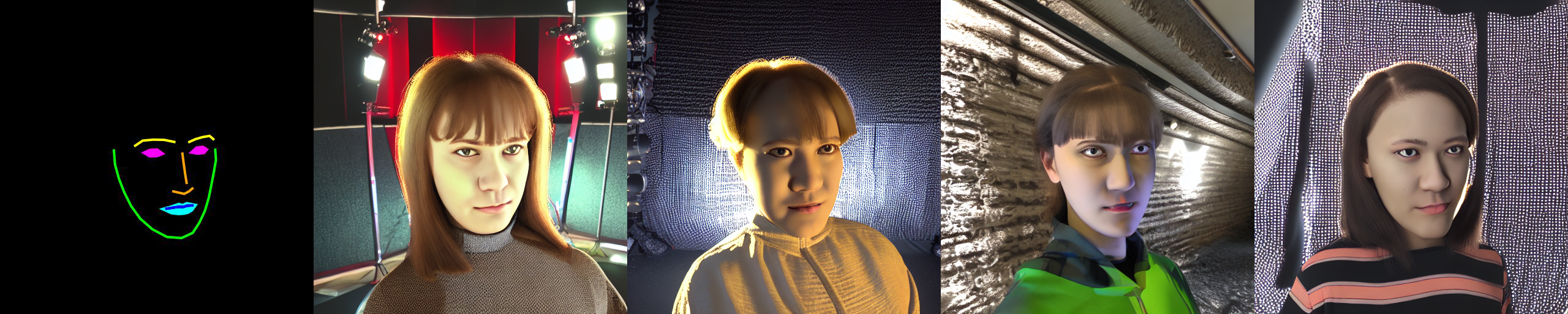
You can find some example images below.
prompt: High-quality close-up dslr photo of man wearing a hat with trees in the background
 prompt: Girl smiling, professional dslr photograph, dark background, studio lights, high quality
 prompt: Portrait of a clown face, oil on canvas, bittersweet expression