
Downloads · 30 days
0
DILHTWD/documentlayoutsegmentation_YOLOv8_ondoclaynet
documentlayoutsegmentation_YOLOv8_ondoclaynet is a machine learning model from DILHTWD. Use it for the machine learning task on the model card, and read the license before you ship it in a product. The card lists the license as agpl-3.0.
This model was developed to address the challenges of Document Layout Segmentation and Document Layout Analysis by accurately segmenting a document page into its core components. These components include the title, ca…
Downloads · 30 days
0
Access
Public
Updated Mar 17, 2024
Repo size
137 MB
Likes
26
Public
Click a slice to open those files.
.pt137 MB · 99%
From the Hugging Face model README
This model was developed to address the challenges of Document Layout Segmentation and Document Layout Analysis by accurately segmenting a document page into its core components. These components include the title, captions, footnotes, formulas, list items, page footers, page headers, and pictures. The motivation behind creating this model stems from the need to enhance the understanding and accessibility of document content, facilitating a wide range of applications such as automated content extraction, document summarization, and improved accessibility features. By providing precise segmentation of these elements, the model aims to support various downstream tasks that rely on the structural understanding of document layouts, enabling more efficient and effective processing and analysis of document content.
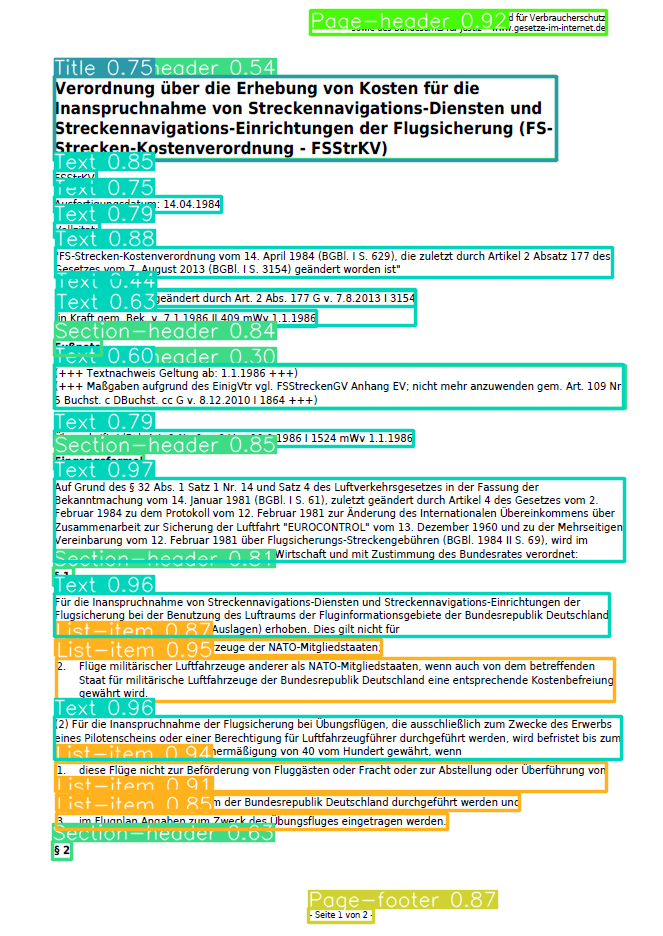
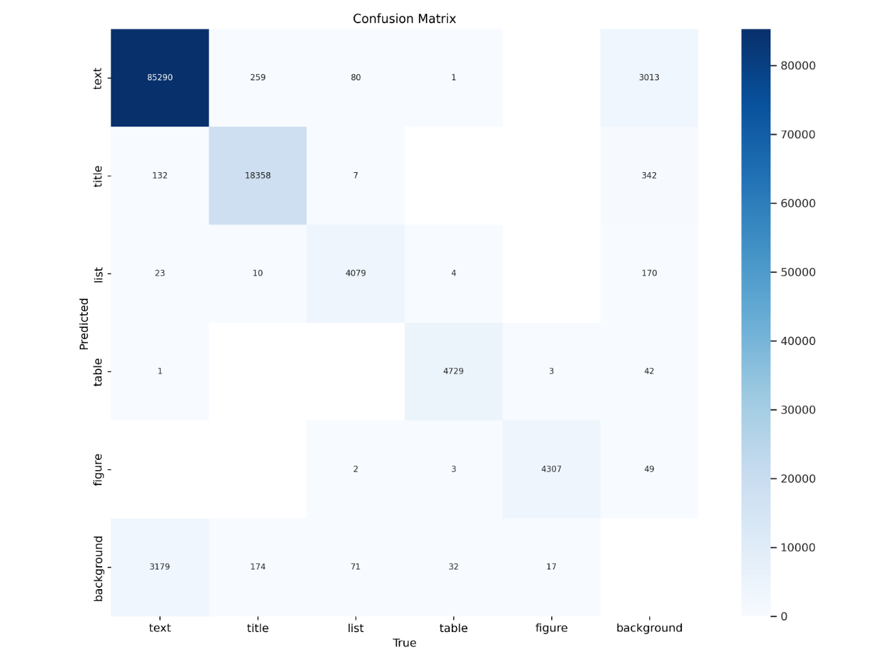
To use the model, follow this example code:
from ultralytics import YOLO
from PIL import Image, ImageDraw
import pathlib

# List of sample images to process
img_list = ['sample1.png', 'sample2.png', 'sample3.png']

# Load the document segmentation model
docseg_model = YOLO('yolov8x-doclaynet-epoch64-imgsz640-initiallr1e-4-finallr1e-5.pt')

# Process the images with the model
results = docseg_model(source=img_list, save=True, show_labels=True, show_conf=True, show_boxes=True)

# Initialize a dictionary to store results
mydict = {}

# Extract and store the paths and coordinates of detected components
for entry in results:
    thepath = pathlib.Path(entry.path)
    thecoords = entry.boxes.xyxy.numpy()
    mydict.update({thepath: thecoords})